A while back, we enabled multi-page PDF support. Today, I want to show you just how well it works with a real example - a scanned multi-page PDF document that our AI processes into a perfectly editable Excel spreadsheet.
The Challenge: Multi-Page Scanned PDFs
Multi-page scanned PDFs are notoriously difficult to convert. Traditional OCR tools often struggle with page boundaries, inconsistent scan quality, and maintaining data structure across pages. But with our AI-powered approach, we tackle these challenges head-on.
The Workflow: PDF → AI → Excel
Let me walk you through exactly what happens when you upload a multi-page PDF to ScanToExcel.
Upload Your PDF
Simply drag and drop or select your multi-page PDF. Our system accepts both text-based and scanned (image-based) PDFs.
AI Does Its Thing
Our multi-modal AI processes each page, understanding not just the text but the document structure, tables, headers, and relationships between data points.
Download Your File
Download your data in your preferred format - Excel, CSV, Word, JSON, or XML. All perfectly formatted and ready for editing, analysis, or further processing.
Real Example: See the Results
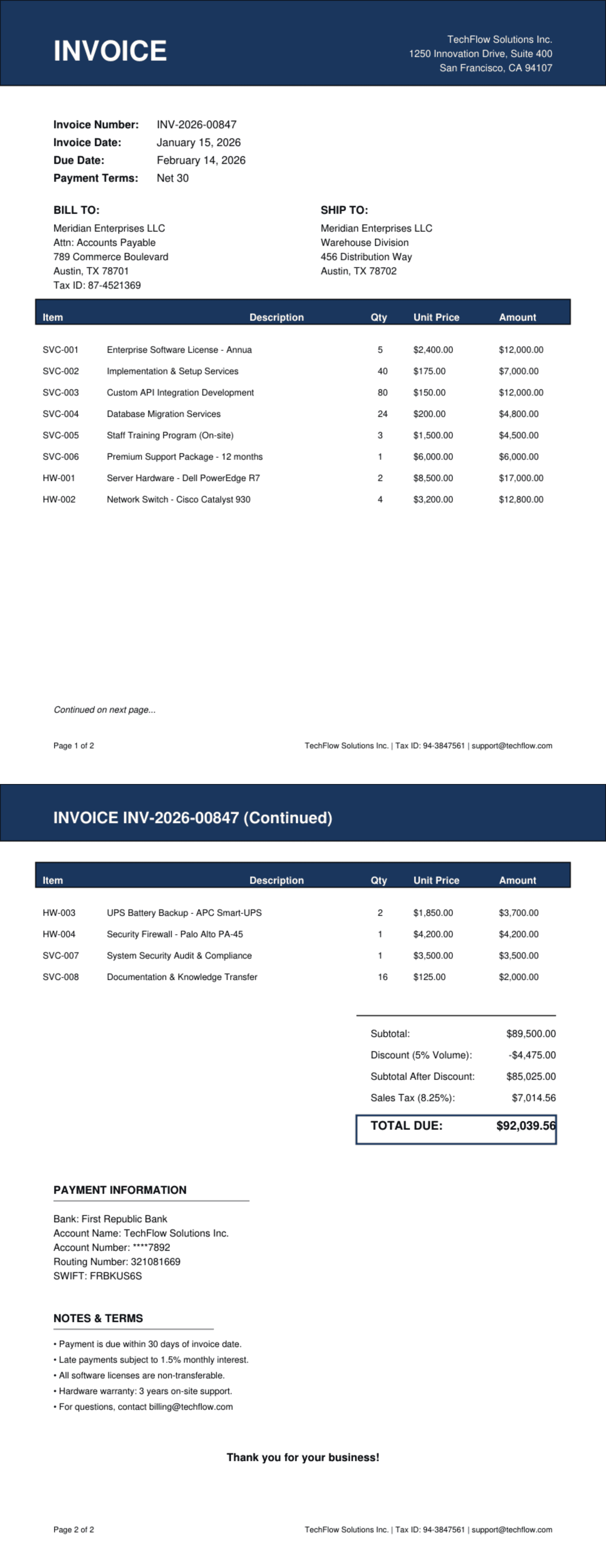
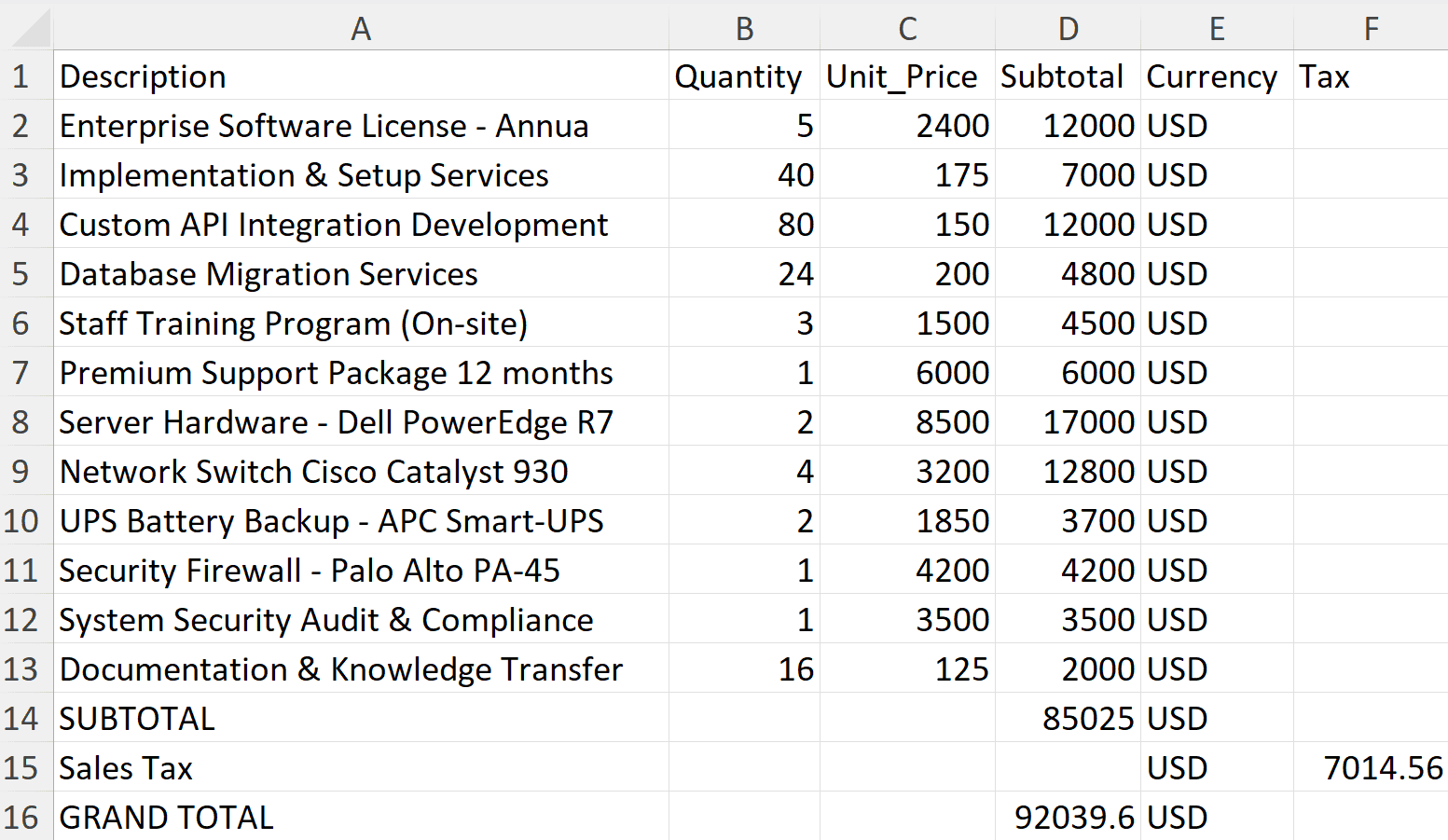
Below you can see a real multi-page scanned PDF that I created as a test document. Watch how our AI extracts every single line correctly - no manual corrections needed.
📄Input: Scanned Multi-Page PDF
✅Output: Editable Excel Spreadsheet
Line-by-Line Accuracy
What makes this impressive isn't just that it works - it's the accuracy. Every line from the PDF is extracted correctly:
- ✓Text recognition handles various fonts and scan qualities
- ✓Table structures are preserved perfectly
- ✓Column alignment is maintained across pages
- ✓Numbers and special characters are captured accurately
- ✓No manual cleanup required - it just works
Perfect For
Multi-page PDF conversion is invaluable for many real-world scenarios:
Bank Statements
Convert months of transaction history spanning multiple pages into analyzable spreadsheets
Financial Reports
Extract data from annual reports, quarterly statements, and audit documents
Invoice Batches
Process compiled invoice PDFs with multiple invoices per document
Data Exports
Convert legacy system exports and scanned archives into modern, editable formats
- Julius