Bank statement conversion examples
Inspect five statement examples alongside their spreadsheet outputs, including flat transaction tables and a detailed account layout.
Ally Bank
Open original image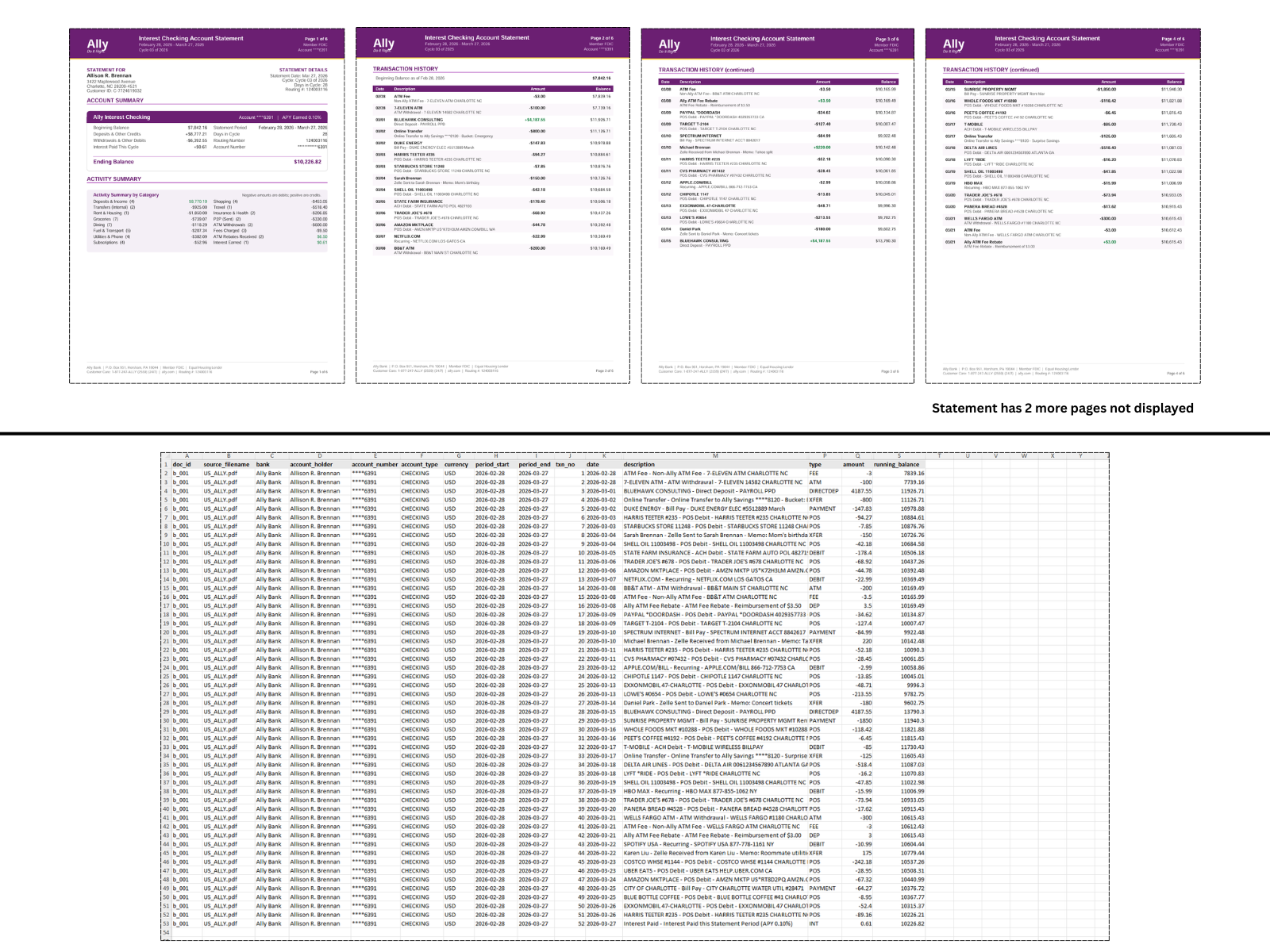
Four pages of an Ally statement are displayed above a flat transaction spreadsheet. The image notes that two additional statement pages are not shown.
Bank of America
Open original image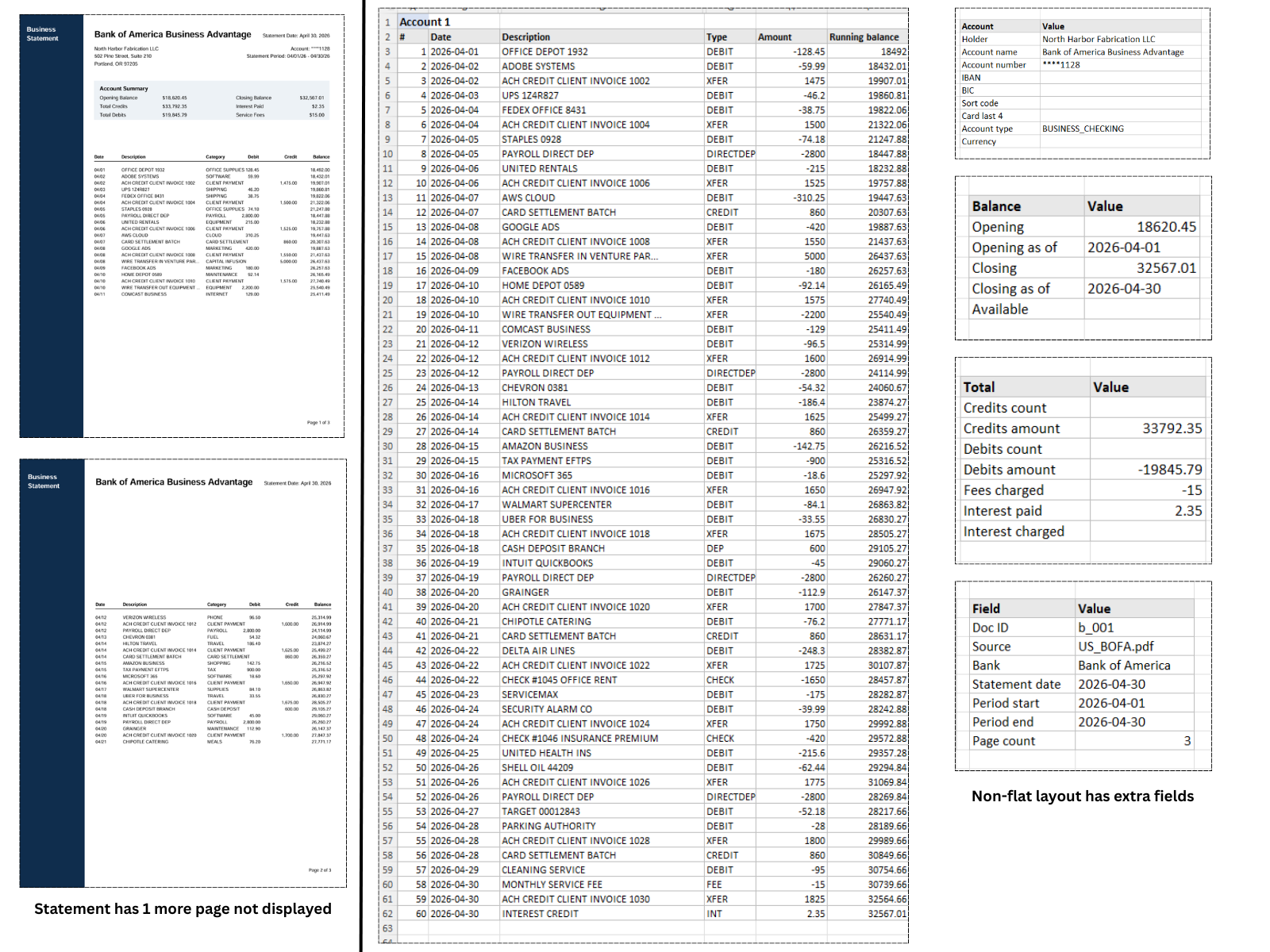
Two pages of a Bank of America statement appear beside a detailed output with transactions, account information, balances, and totals. A third statement page is not shown.
Chase
Open original image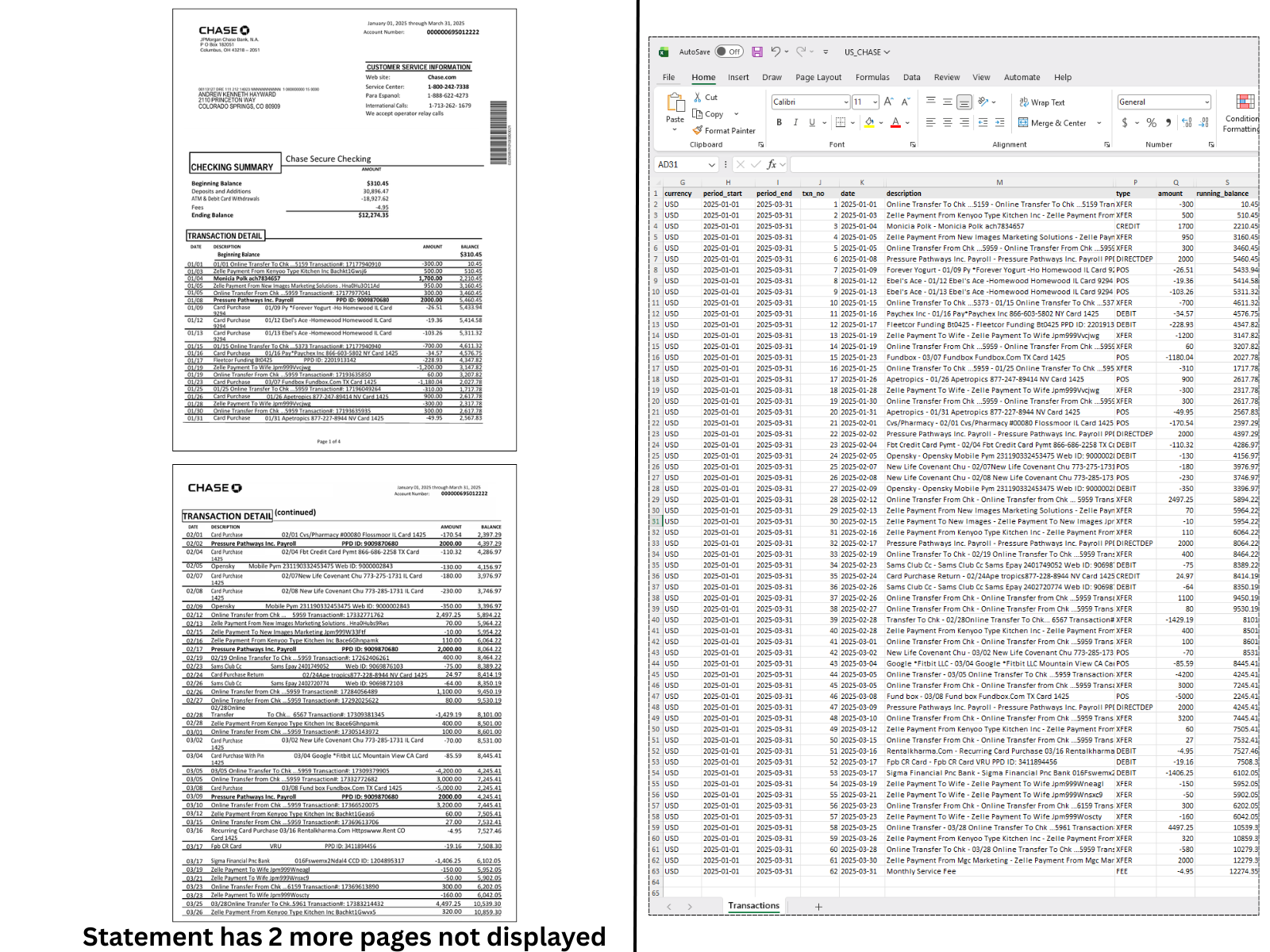
Two pages of a Chase statement appear beside the Transactions worksheet. The image notes that two further statement pages are not displayed.
Commerzbank
Open original image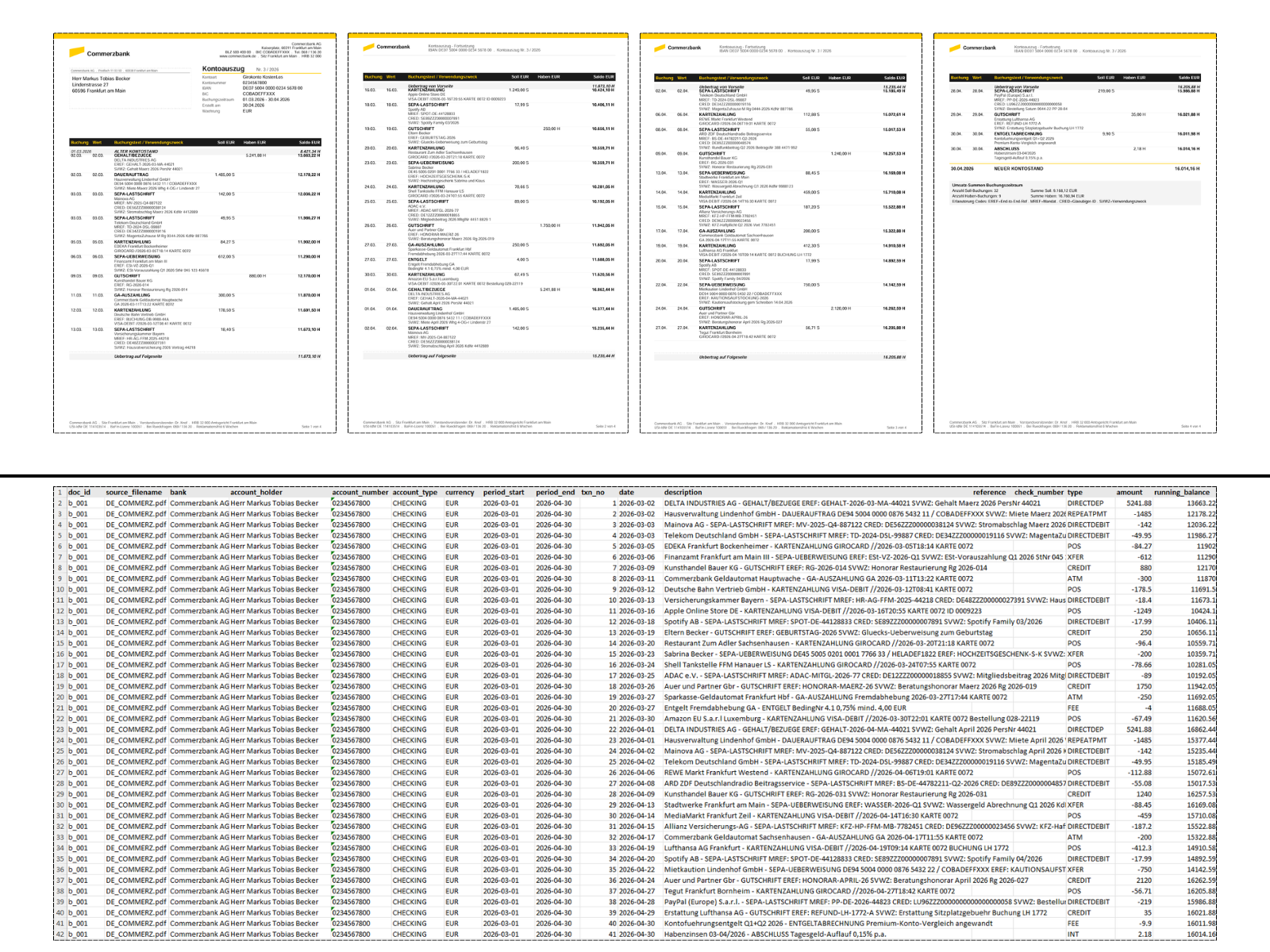
Four Commerzbank statement pages show booking and value dates, followed by a flat spreadsheet with transaction descriptions and signed amounts.
Starling Bank
Open original image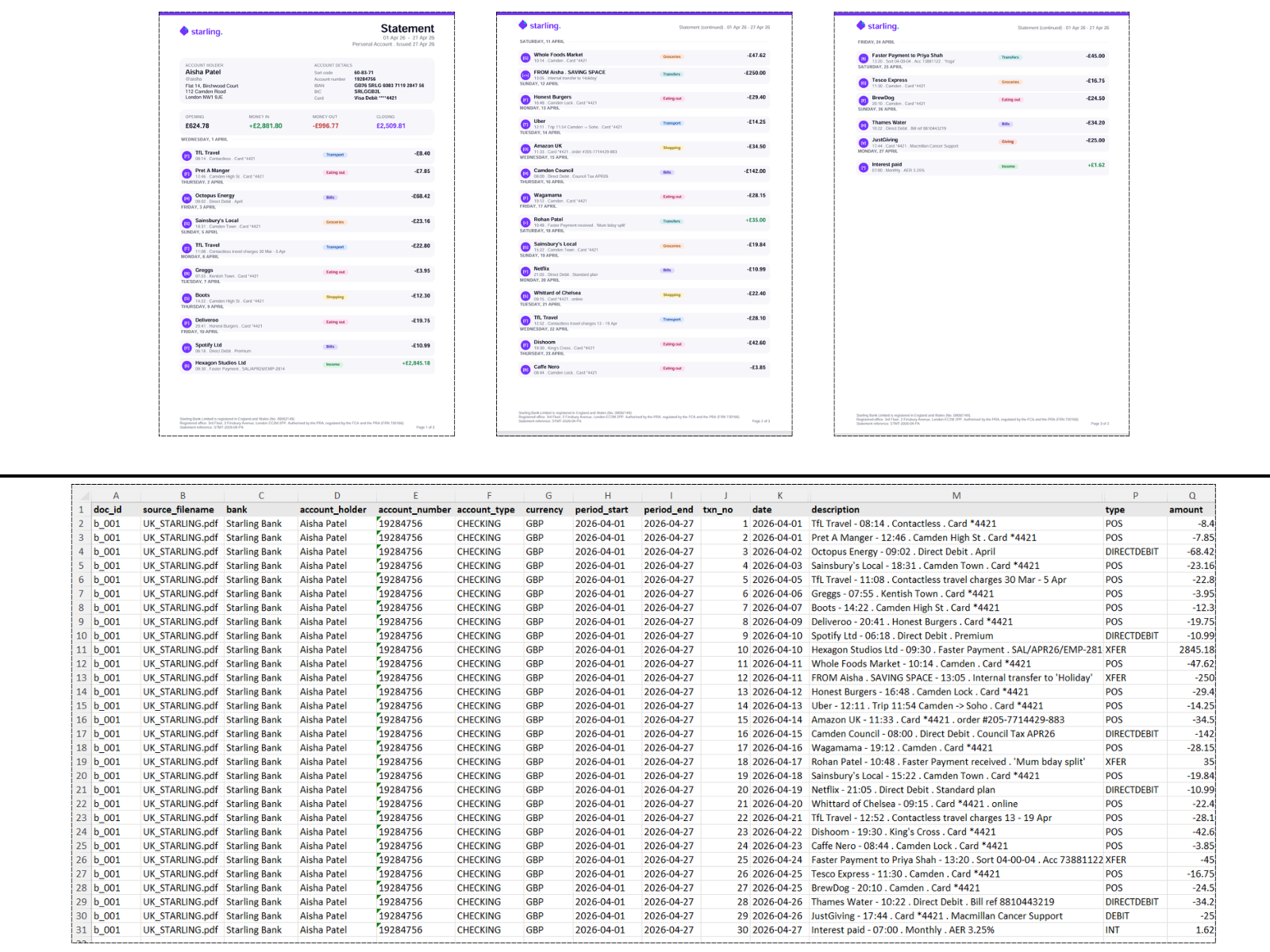
Three Starling statement pages appear above a flat spreadsheet with transaction descriptions, dates, account context, and signed amounts.