Credit card statement conversion examples
Inspect four recorded statement examples and their spreadsheet outputs, including multiple cardholders, payments, fees, and a detailed layout.
American Express with two cardholders
Open original image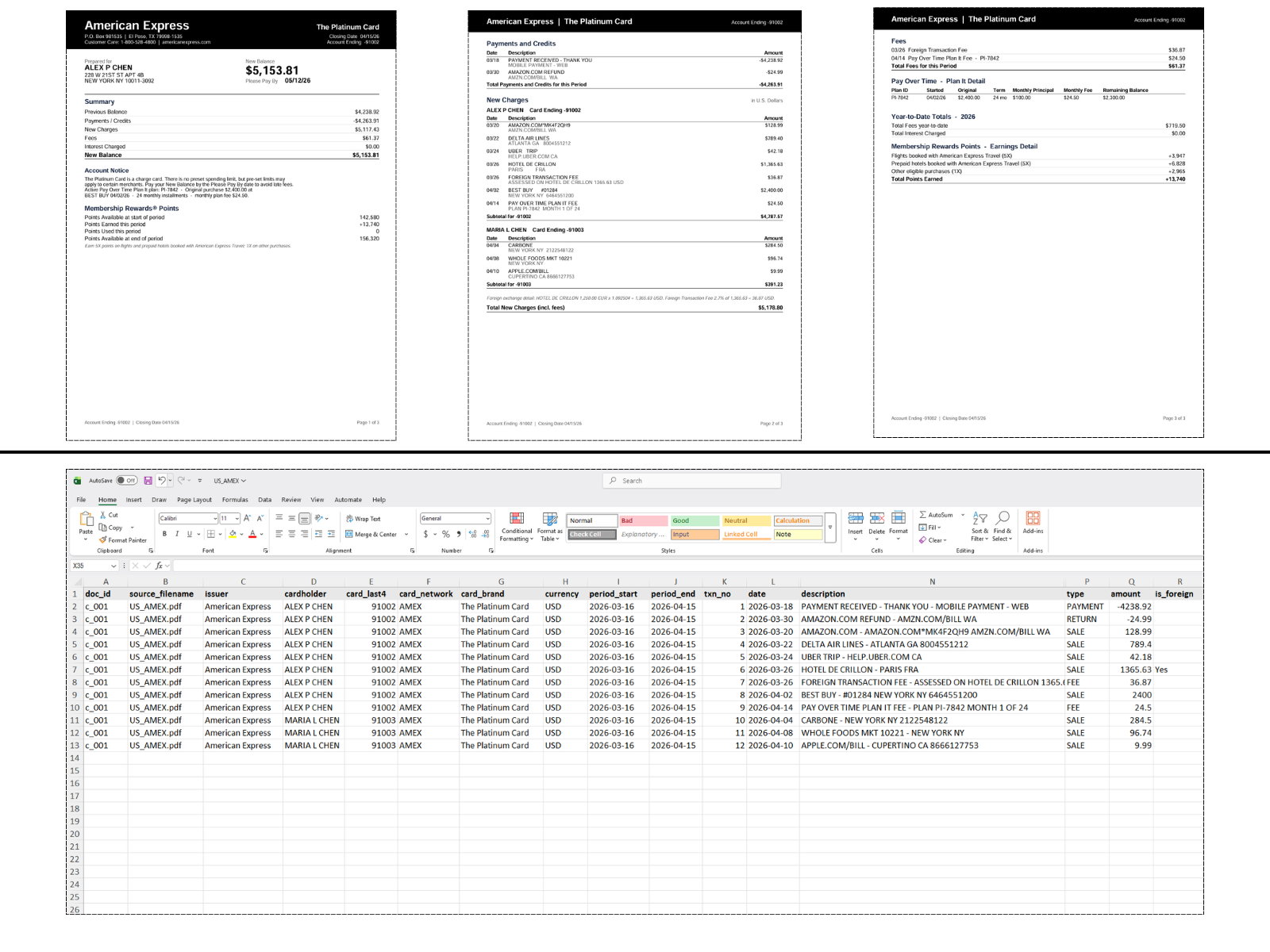
Three statement pages above flat transaction rows with cardholder details, payments, a refund, purchases, and fees.
Apple Card with purchases and a payment
Open original image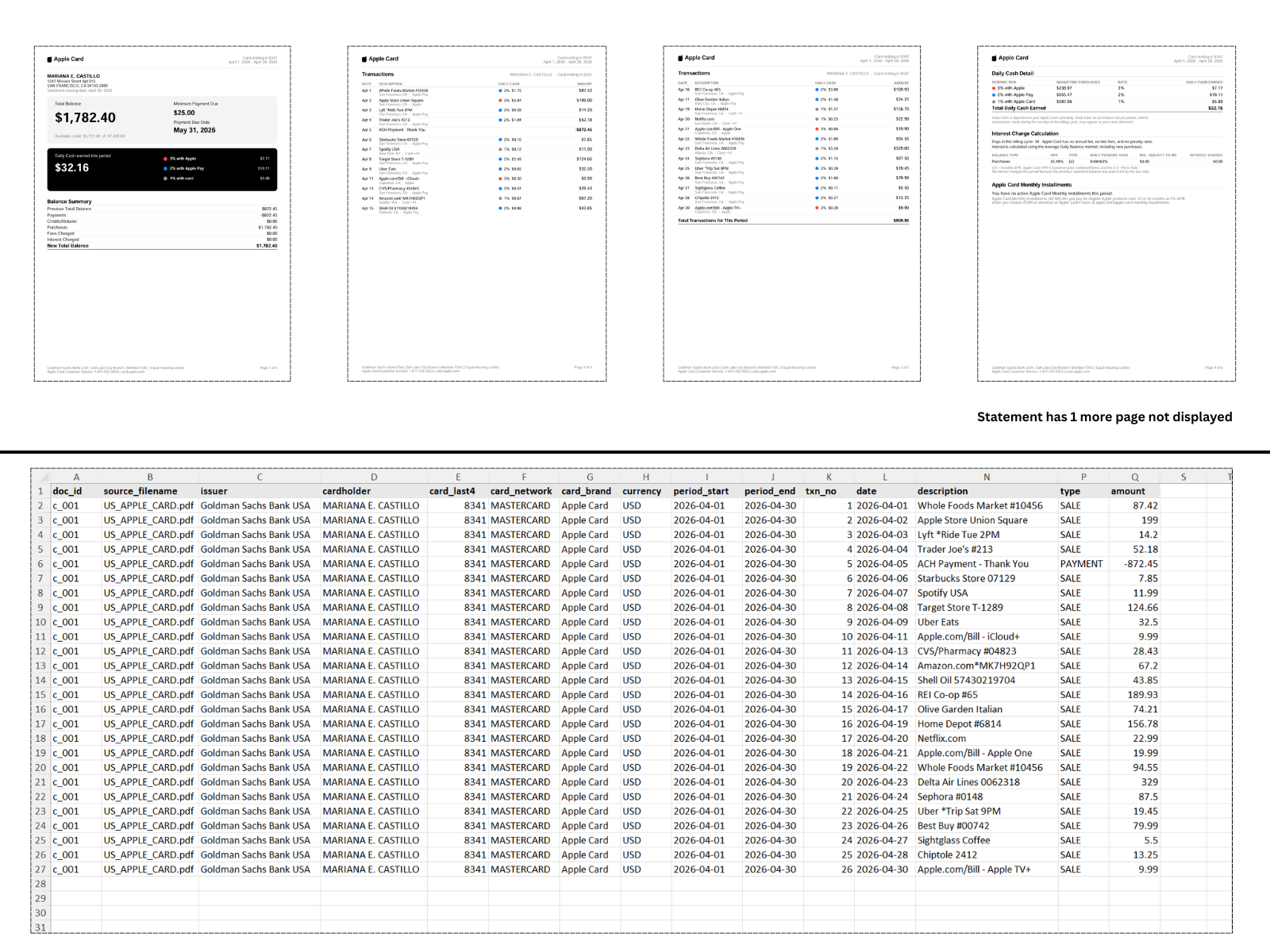
Four displayed pages of a five-page statement above the recorded transaction export. The original image notes that one statement page is not displayed.
Capital One with a detailed layout
Open original image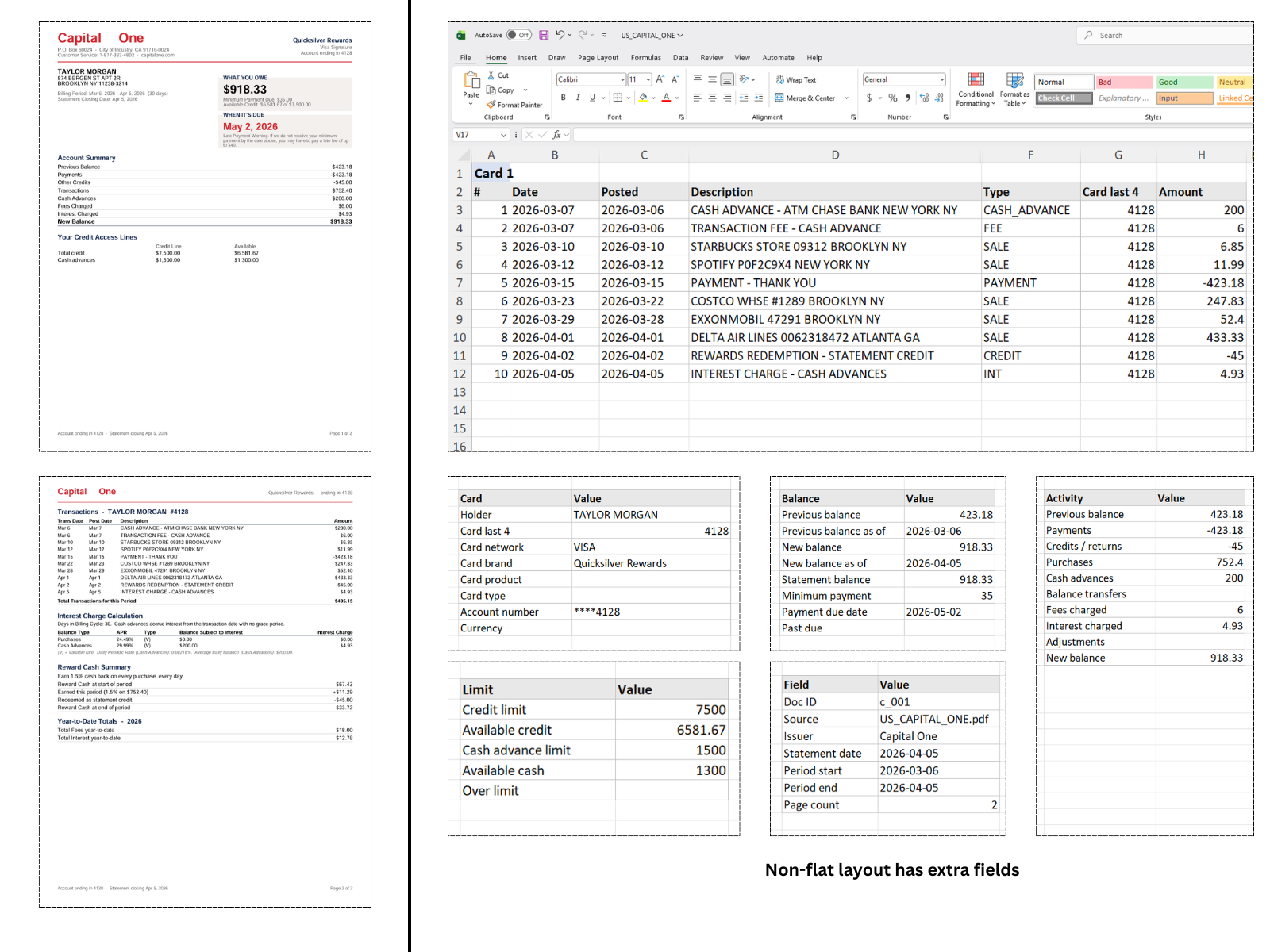
Two statement pages beside a detailed export with transactions, balances, payment information, credit limits, and activity totals. This is not the standard flat layout.
Revolut with foreign-currency purchase details
Open original image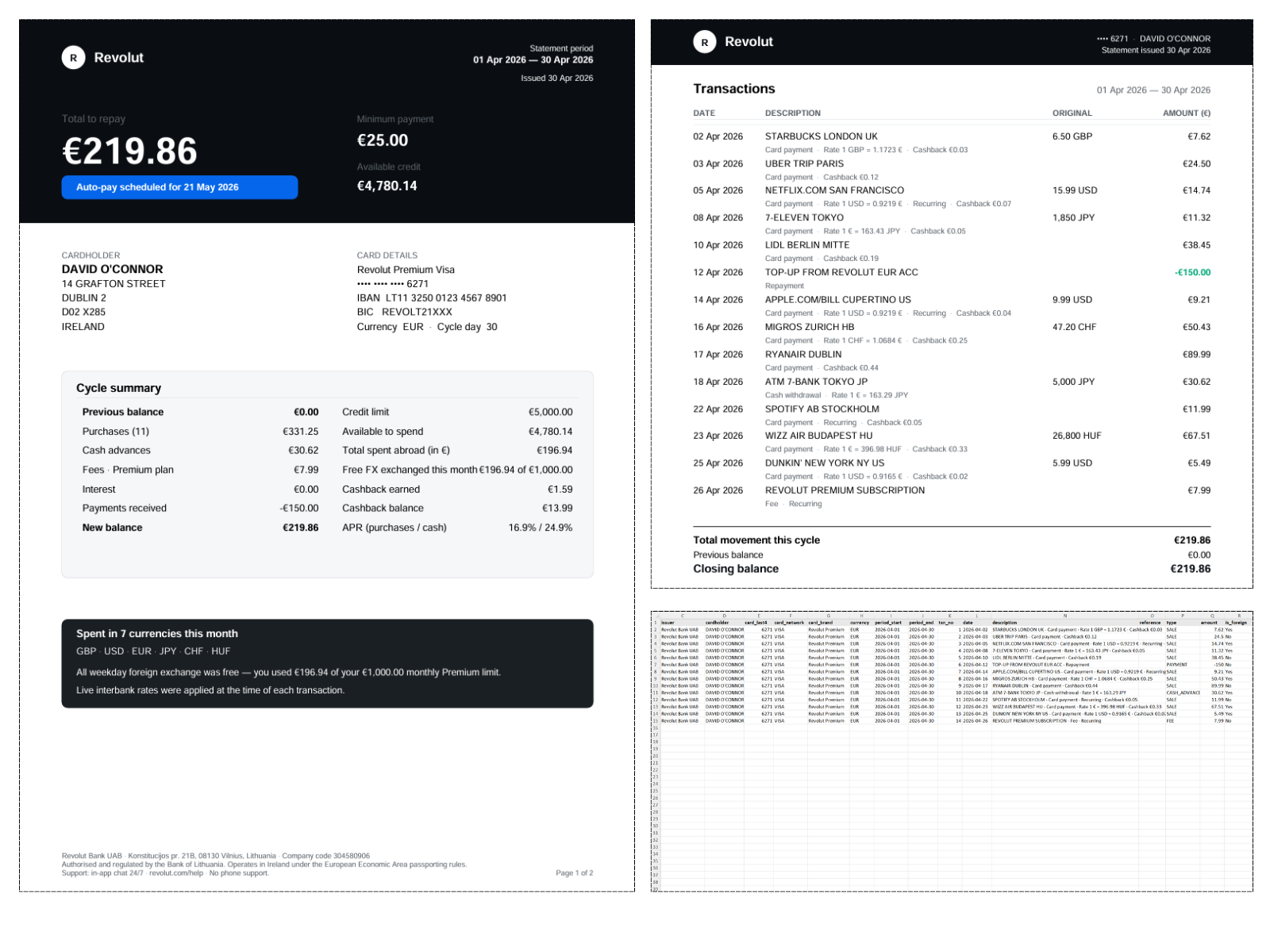
A statement showing repayment and credit-limit information beside transaction details and a recorded export in EUR. Original currencies and rates are visible in some descriptions; no separate exchange-rate columns are demonstrated.